Todis Age Verification help
Version of 14 November 2026. This page explains what the app does, how to set it up and what you will see day to day. For the contractual rules, see the terms of use, the privacy policy and the data processing agreement. Questions: contact@todis.eu.
1. What the app does
Todis Age Verification checks that your buyers are 18 or over before they pay for a cart that holds an age-restricted product. The buyer proves their age with a digital identity wallet such as France Identité: a scan on their phone, a few seconds. The app only receives one answer, "18 or over" or not; no name, no birth date, no copy of a document. If the buyer has no wallet, the app offers them an ID document check in their browser, on by default; you can also review them yourself and authorise their order.
Three things happen in your store:
- when the buyer clicks the checkout button and the cart holds a tagged product, they verify their age first, then go on to checkout;
- the app's checkout rule refuses payment for a tagged cart without a valid proof of age;
- every verified order carries the tag "Todis: age verified"; an order whose proof failed the second check is put on hold until the buyer verifies again or you decide.
2. Set up the app in three steps
The app home, in your Shopify admin, shows the service status and the three steps. While a step is missing, the status says so.
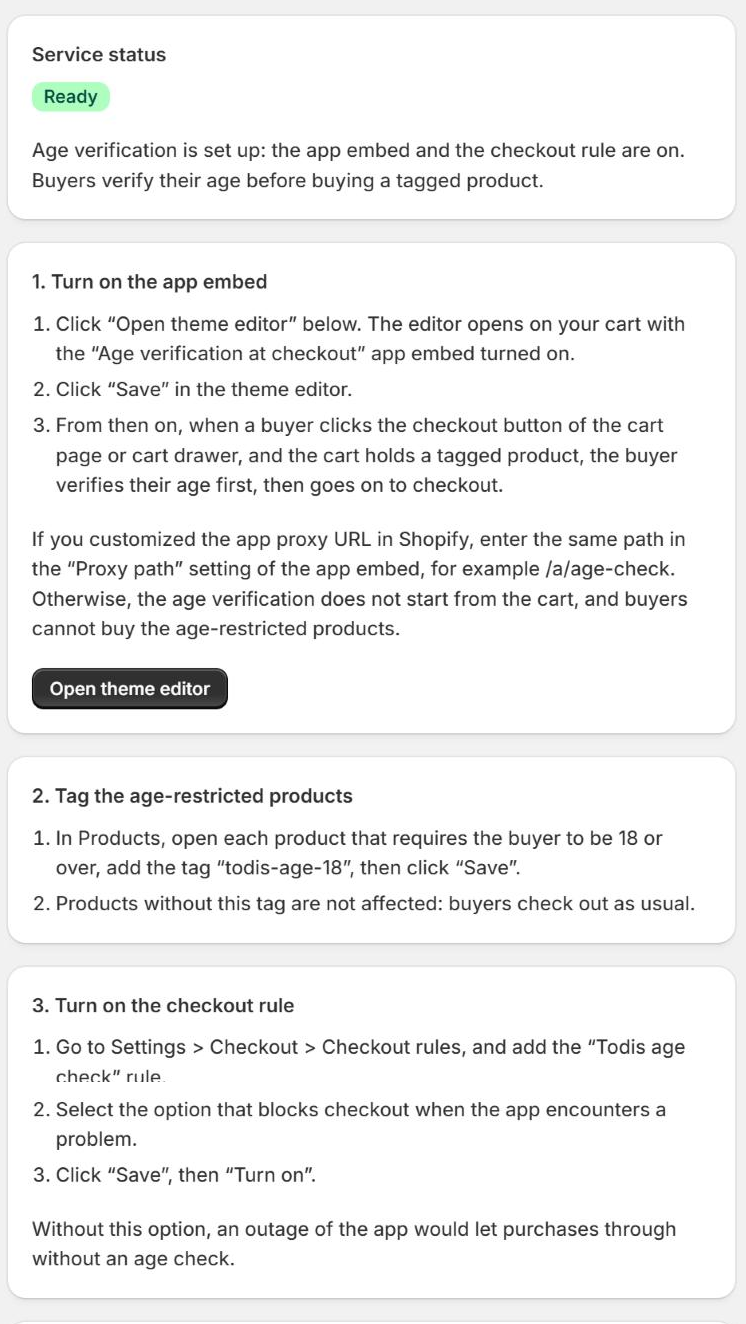
Step 1: turn on the app embed
- Click "Open theme editor". The editor opens on your cart with the "Age verification at checkout" app embed turned on.
- Click "Save" in the theme editor.
- From then on, when a buyer clicks the checkout button of the cart page or cart drawer, and the cart holds a tagged product, the buyer verifies their age first, then goes on to checkout.
If you customized the app proxy URL in Shopify, enter the same path in the "Proxy path" setting of the app embed, for example /a/age-check. Otherwise, the age verification does not start from the cart, and buyers cannot buy the age-restricted products.
Step 2: tag the age-restricted products
- In Products, open each product that requires the buyer to be 18 or over, add the tag
todis-age-18, then click "Save". - Products without this tag are not affected: buyers check out as usual.
Step 3: turn on the checkout rule
- Go to Settings > Checkout > Checkout rules, and add the "Todis age check" rule.
- Select the option that blocks checkout when the app encounters a problem.
- Click "Save", then "Turn on".
Without this option, an outage of the app would let purchases through without an age check.
Accelerated checkout buttons
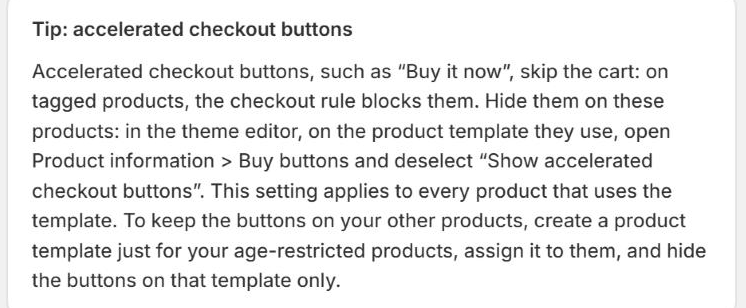
Accelerated checkout buttons, such as "Buy it now", skip the cart: on tagged products, the checkout rule blocks them. Hide them on these products: in the theme editor, on the product template they use, open Product information > Buy buttons and deselect "Show accelerated checkout buttons". This setting applies to every product that uses the template. To keep the buttons on your other products, create a product template just for your age-restricted products, assign it to them, and hide the buttons on that template only.
3. What the buyer sees
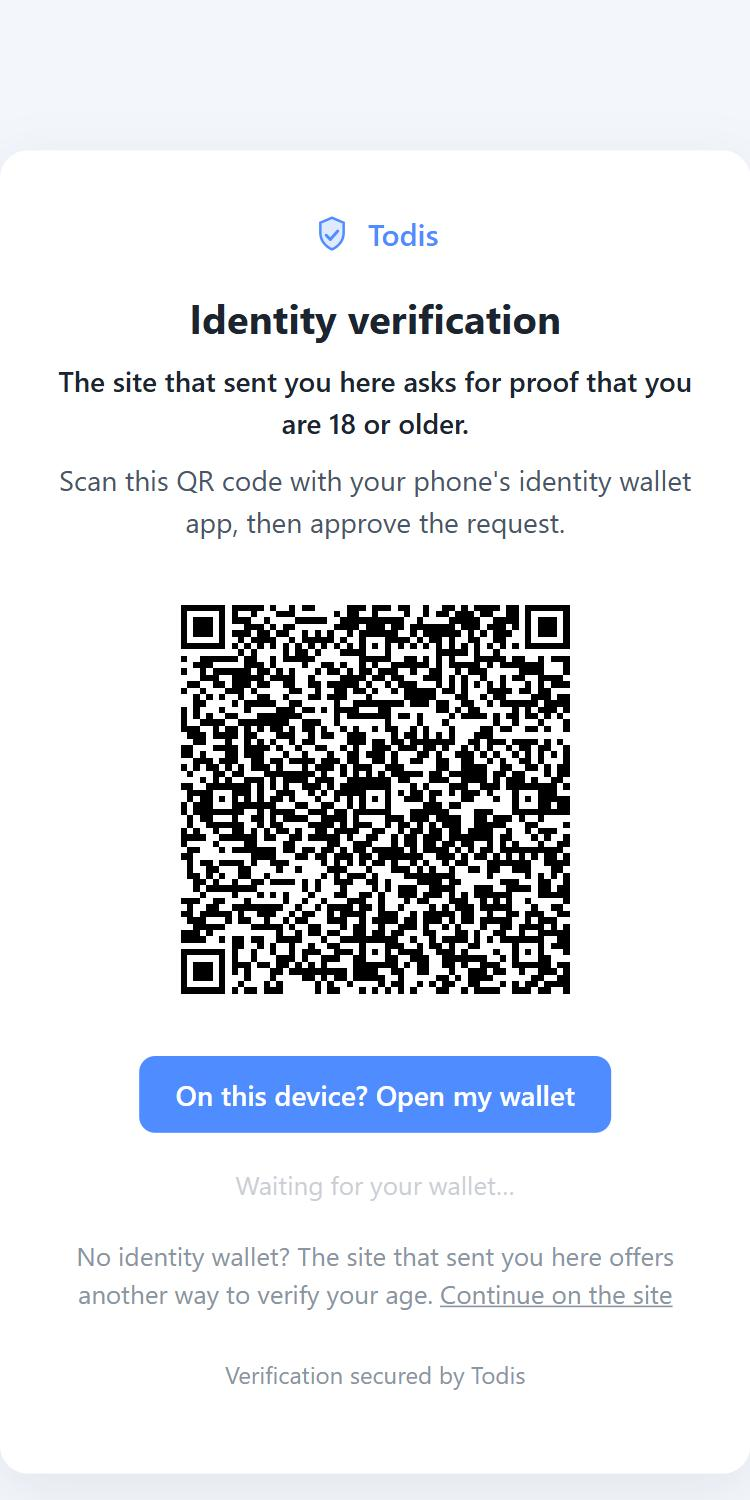
When the buyer clicks the checkout button with a tagged product in the cart, the Todis verification page opens.
- On a phone, they open their identity wallet, present their age attestation and come back to the store. The check takes a few seconds.
- On a computer, they scan a code with the phone that holds their wallet; the computer goes on to checkout by itself once the check is done.
- If they are 18 or over, checkout opens. The proof is valid for three hours: the buyer can go back to the cart and pay again without re-verifying. An order placed after those three hours is put on hold (section 4); the buyer releases it by verifying their age again.
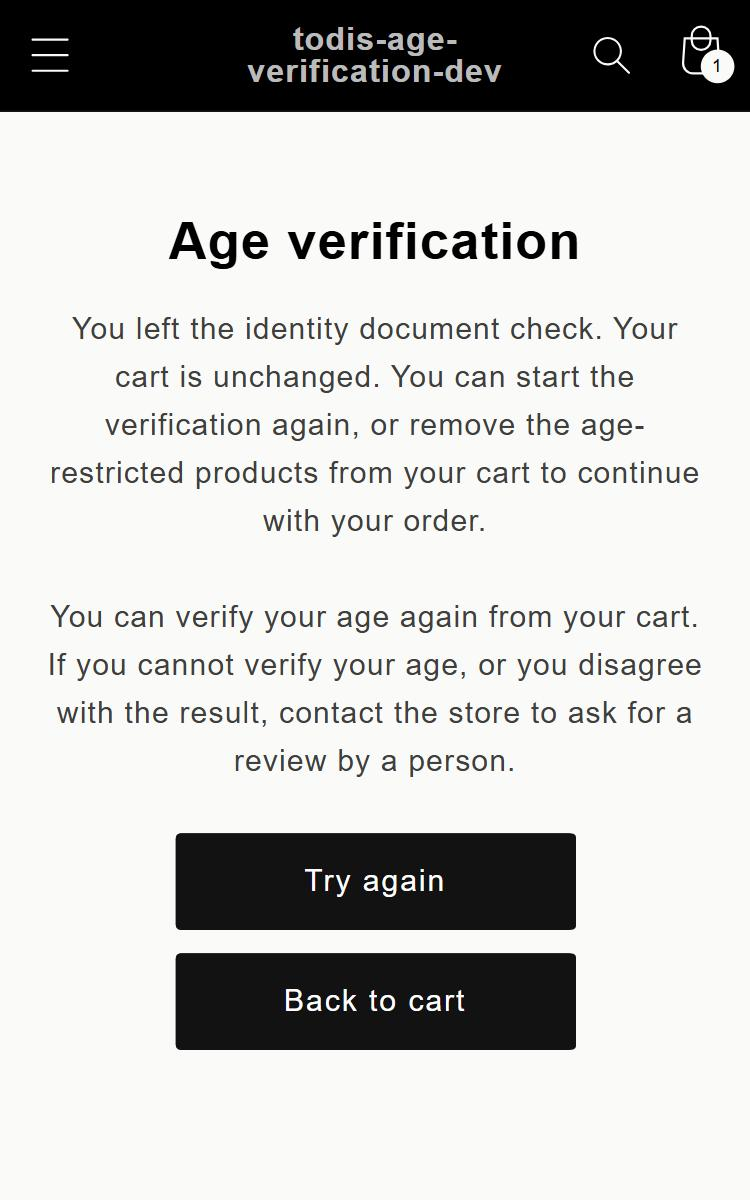
- If they are under 18, if they decline, or if the check fails, a return page tells them why and what they can do: try again, or ask your store for a review by a person.
A buyer who reaches checkout without the cart button (direct link, accelerated checkout button) is stopped by the checkout rule, with a message that sends them back to the cart.
4. Orders
The "Todis: age verified" tag
Every order paid after a successful verification carries the tag "Todis: age verified" in Shopify. You see it in the order list and on the order.
Orders on hold
When the order is created, the app checks the proof of age a second time. If it fails (proof already used for another order, or expired), the shipping of the order is put on hold and a note on the order explains it. The app's "Orders on hold" page lists them, each with a verification link to send to the buyer: they verify their age again with Todis, and as soon as Todis confirms they are 18 or over, the hold is released automatically. Each link is valid while the order is on hold, and at most 30 days. This re-verification is never billed to you.
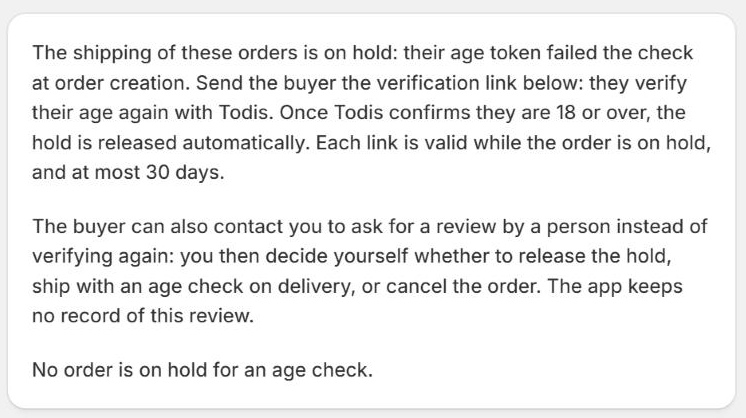
The buyer can also contact you to ask for a review by a person instead of verifying again: you then decide yourself whether to release the hold in Shopify, ship with an age check on delivery, or cancel the order. The app keeps no record of this review.
5. Buyers who cannot verify their age
A buyer whose payment is blocked, or whose order is on hold, can contact your store to ask for a review by a person. On their return page, the buyer saw why: Todis could not verify their age (no wallet, refusal, failure), or they are a minor. You review them by your own means and you decide.
If you accept them for a blocked payment, create an authorisation link from the app home and send it to them: they open the link in the browser where their cart is, their payment goes through, and the order carries the tag "Todis: age accepted by merchant", under your sole responsibility. Nothing is billed to you. The link is valid for 24 hours and can be used only once; you can revoke it while it is unused. The app keeps of this review only the link's date and its use. A ready-made message, with the link and its expiry, is there to copy.
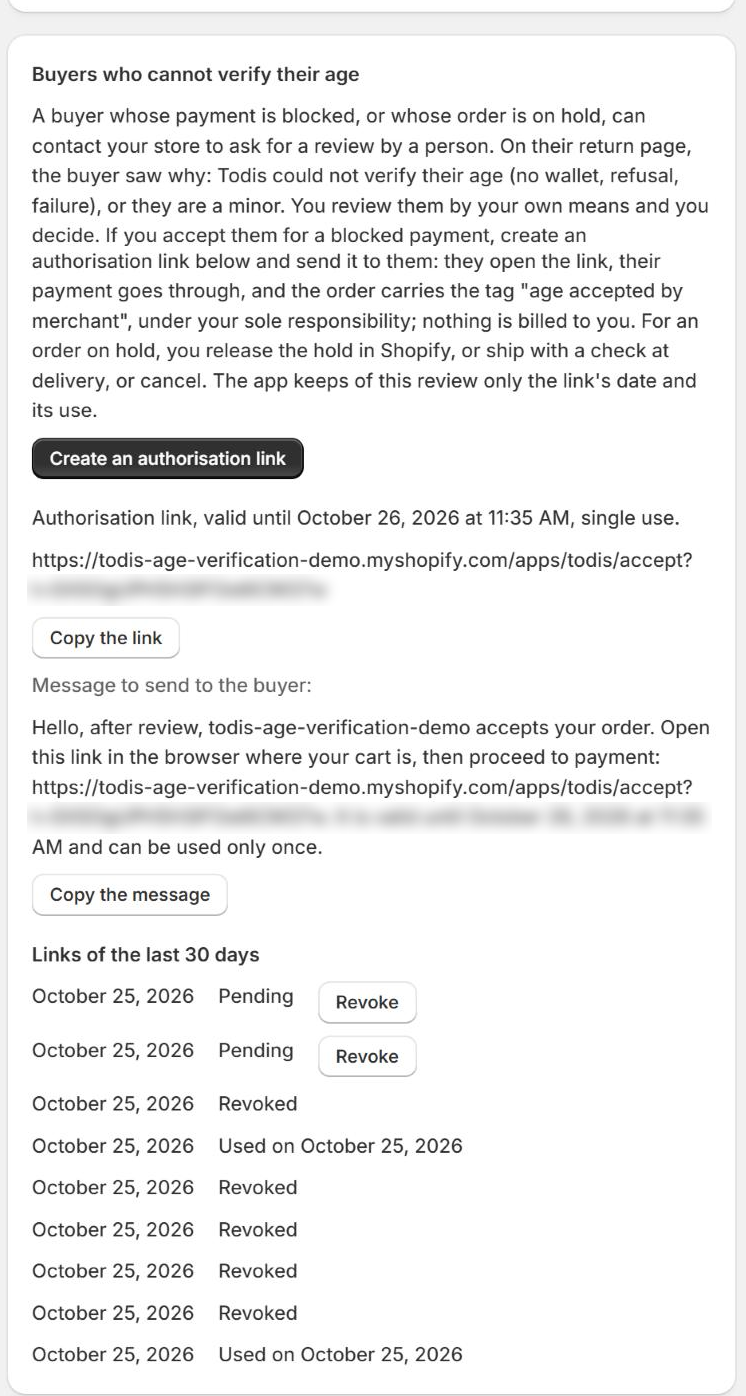
For an order on hold, you release the hold in Shopify, or ship with a check at delivery, or cancel.
6. ID document check (on by default)
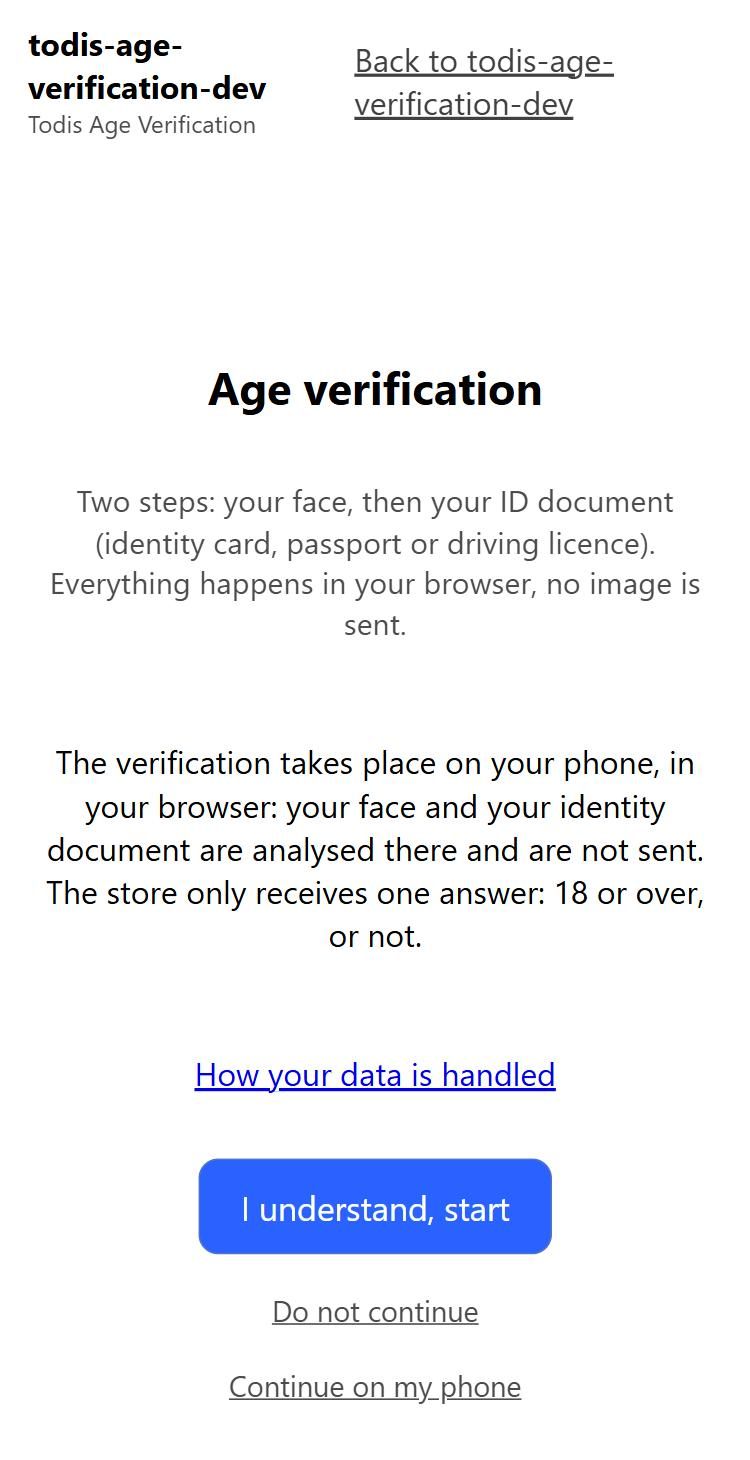
For buyers without an identity wallet, the app offers the ID document check; it is on from installation. On the Todis page, the buyer chooses "Continue on the site"; a page of your store asks them, on their phone, for a head movement in front of the camera and their identity document (identity card, passport, driving licence, residence permit). The program compares the face with the photo on the document and computes the age, in the buyer's browser: no image and no data from the document leave their device; only the answer "18 or over" or not is sent to the store. On a computer, the page offers a code to scan to continue on the phone; the camera is never requested on the computer.
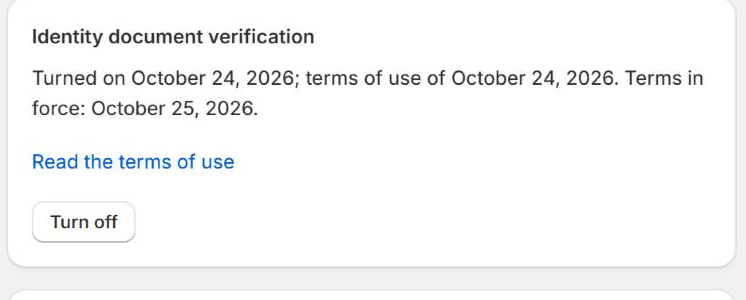
Before the camera, the buyer is informed of this processing and can choose not to continue. This check gives a lower level of assurance than the wallet: which is why you can turn it off at any time from the app, and turn it back on the same way. Its limits are described in section 2 bis of the terms, which you accept when installing the app; the app keeps the date of this acceptance and the version of the terms accepted, shown in the box. An identity document verification is billed like a wallet verification.
As the controller of your buyers' data, you may need a description of this processing for your own impact assessment: ask contact@todis.eu.
7. Plan and billing
The app's "Plan and billing" page shows your plan, the current period, the number of completed verifications, the included verifications left, the estimated charges and your monthly cap.
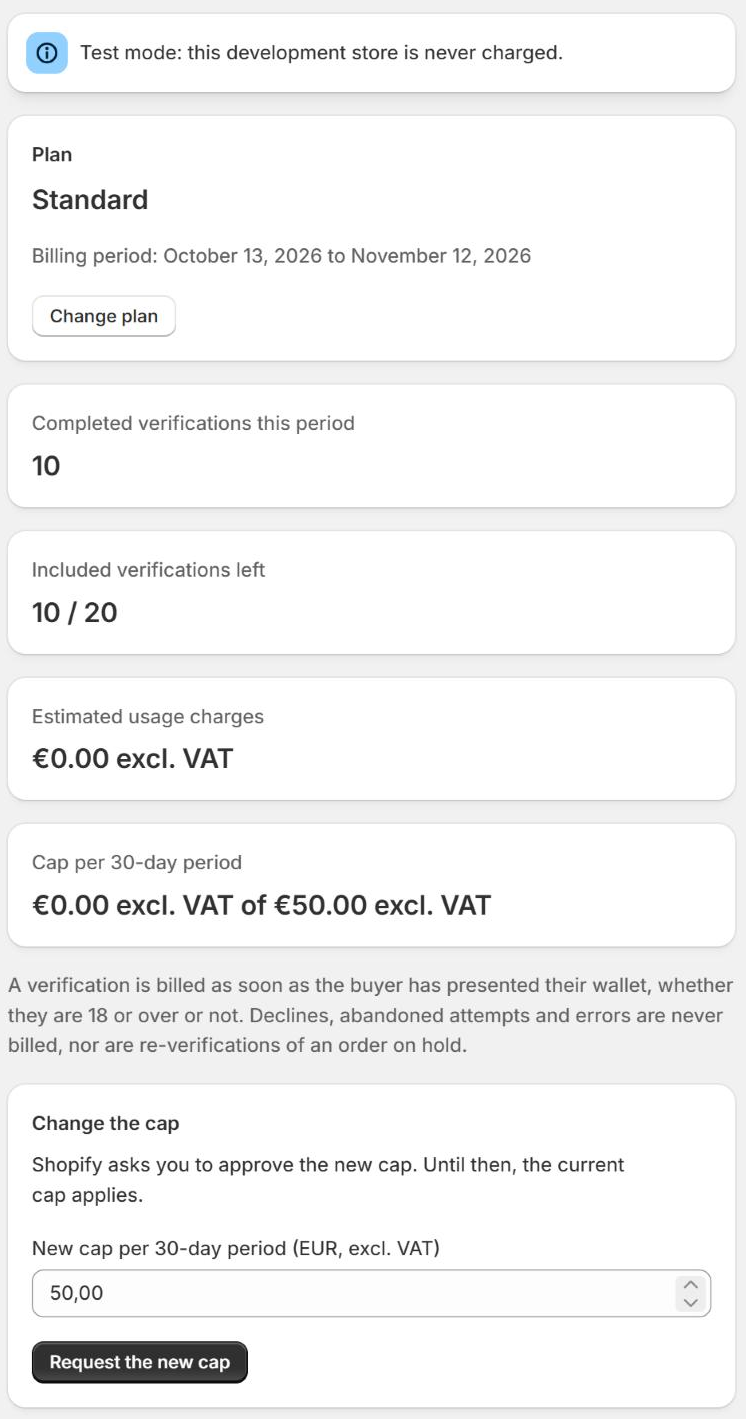
- A verification is billed as soon as it is completed, that is, the buyer has presented their wallet (or their identity document) and the app has received an answer, whether they are 18 or over, or not.
- Declines, abandoned attempts and errors are never billed, nor is the re-verification of an order on hold, nor a sale you authorise yourself with an authorisation link.
- Usage charges are capped per 30-day period. The cap is €100 excl. VAT by default; you can request another one from this page, and Shopify then asks you to approve it. An alert warns you at 80% of the cap.
- The app never blocks a sale for a billing reason: cap reached or no plan chosen, verification goes on, without billing, and a banner tells you.
The prices of each plan are described in the app's listing on the Shopify App Store and in the terms of use, article 4.
8. Data access requests
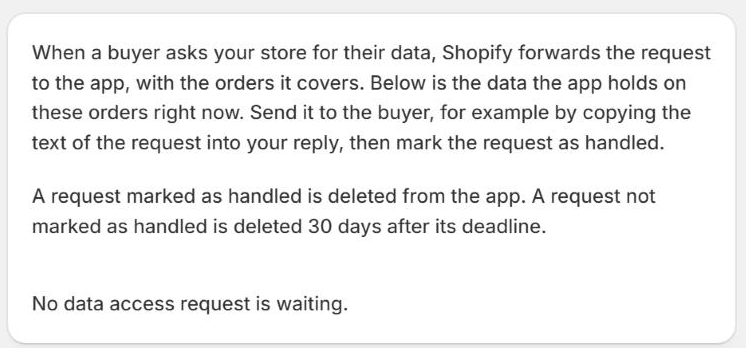
When a buyer asks your store for their data, Shopify forwards the request to the app, with the orders it covers. The "Data access requests" page shows the data the app holds on these orders at that moment. Send it to the buyer, for example by copying the text of the request into your reply, then mark the request as handled. A request marked as handled is deleted from the app; a request not marked as handled is deleted 30 days after its deadline.
The app keeps nothing beyond what the transaction needs, and no identity data about buyers. The details are in the privacy policy.
9. Uninstall the app
Uninstall the app from Settings > Apps and sales channels in your Shopify admin. Your shop's data is erased from the app on the erasure request that Shopify sends 48 hours after uninstallation, then from its backups at most 30 days later, 32 days at most in all.
10. Contact
contact@todis.eu. KOHEX, publisher of the app. Contractual documents: terms of use, privacy policy, data processing agreement.